

No-Code Alert Setup
Learn how to automate TradingView strategies without accessing their source code
Introduction
This guide shows you how to automate TradingView strategies without accessing their source code. Make sure your script is a strategy (not an indicator). If it's an indicator, use our TradeSgnl Strategy Builder instead.
Setup Instructions
Apply your strategy to the desired chart and create an alert (Alt+A on Windows / Option+A on Mac). Select your strategy under 'Condition'.
If you see an "Order fills only" dropdown option, select it. If you don't see this dropdown below the strategy name, skip this step and proceed to configure the alert message.
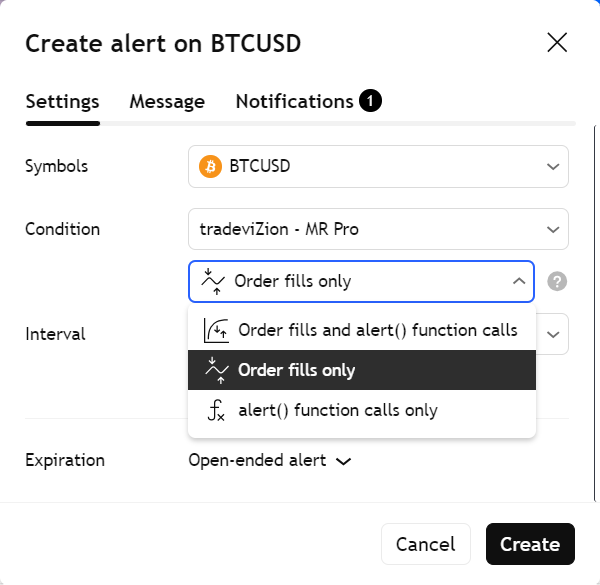
Configure the Alert Message
In the alert message field, enter the following format:
LicenseID,{{ticker}},{{strategy.order.action}},risk=0.01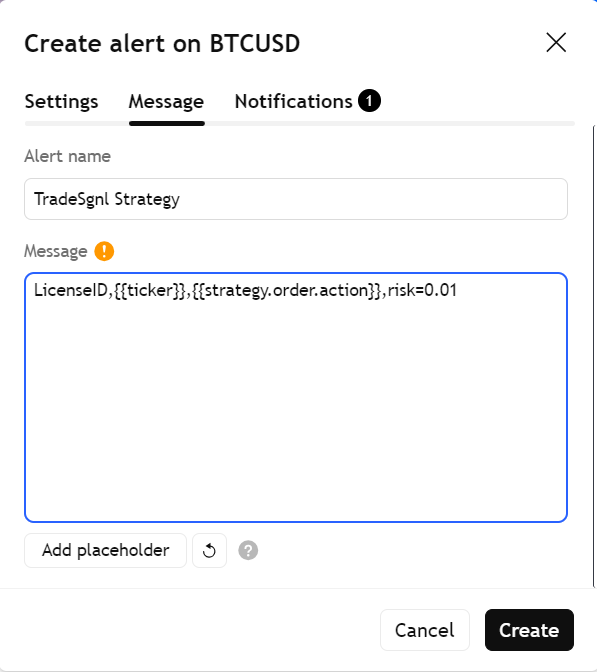
Add Webhook URL
In the Notifications tab, select Webhook URL and paste the following URL:
https://webhook.tradesgnl.com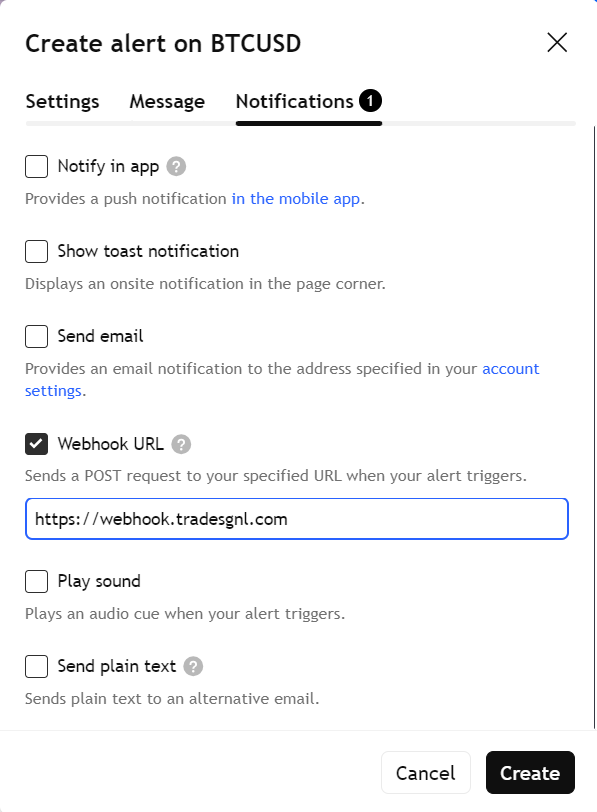
Click Create to save your alert. Your strategy will now send signals to TradeSgnl EA.
Best Practices
- Start with Demo Trading
Test all strategies on demo accounts first to verify alerts, position sizing, and stop loss/take profit functionality before risking real capital
- Configure Alerts Properly
Use 'Once Per Bar Close' trigger, set appropriate expirations, and name alerts clearly with symbol and timeframe information
- Manage Risk Carefully
Always use stop losses, start with small position sizes (0.01-0.1 lots), and set daily/weekly loss limits in your EA configuration
- Select Strategies Wisely
Choose strategies with proven backtest results, favorable profit factors (> 1.5), reasonable drawdowns, and consistent performance across different market conditions
Additional Resources
Need Additional Help?
Our support team is ready to assist you with any questions you might have.