
Telegram Integration
Set up Telegram integration for trading notifications. Receive real-time alerts and manage your trades through Telegram.
The TradeSgnl Telegram integration provides instant alert delivery through our dedicated bot, offering a faster and more convenient alternative to email notifications. Receive real-time trading alerts directly in your Telegram chat with secure, token-based authentication.
Introduction
Bot information
Connect with @TradeSgnl_Alerts_bot for instant trading notifications.
The Telegram integration enables instant delivery of trading alerts through a secure, dedicated bot. This provides faster notification delivery compared to email, with the convenience of mobile push notifications and the ability to receive alerts anywhere you have internet access.
Instant Delivery
Receive alerts within seconds of trading events, faster than email delivery.
Secure Connection
Token-based authentication with single-use, time-limited connection tokens.
Mobile Optimized
Native mobile notifications keep you informed even when away from your computer.
Key benefits:
Lightning Fast
Receive notifications in seconds, enabling rapid response to critical trading events.
Always Connected
Mobile push notifications ensure you never miss important alerts, wherever you are.
Connection Process
Connecting your Telegram account is a simple, secure process that takes just a few minutes. The system uses time-limited tokens to ensure maximum security during the connection process.
Open Alerts Dashboard
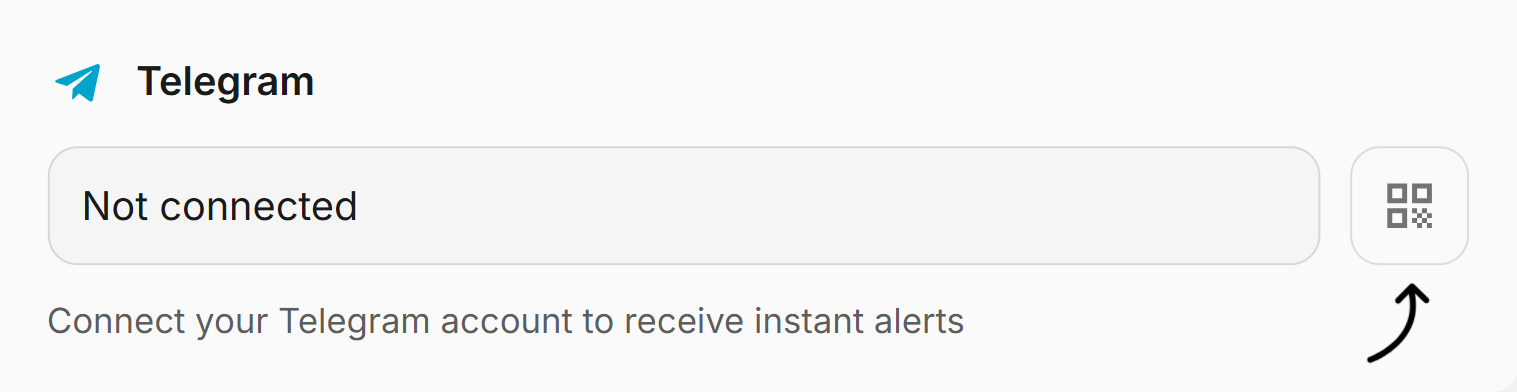
Open Alerts Dashboard. Navigate to your TradeSgnl Alerts Dashboard and go to Notification Settings. Click the QR code icon next to Telegram to start the connection process.
Choose Connection Method. A modal will appear with your unique connection token. You can either scan the QR code with your mobile Telegram app or click Open in Telegram for direct access.
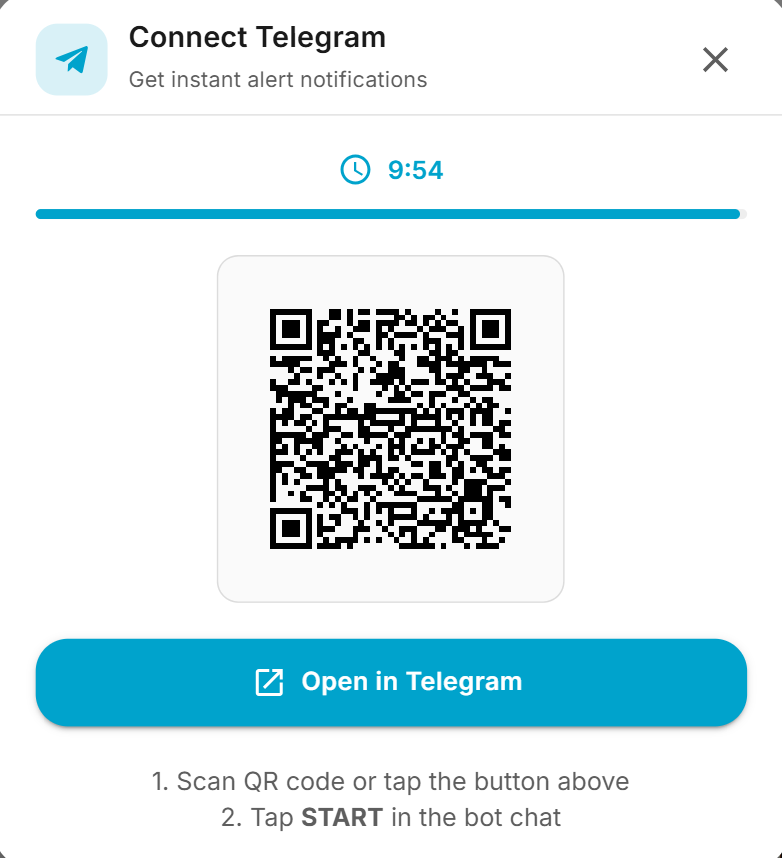
Connection methods:
- QR Code (recommended). Scan with your mobile camera for instant connection.
- Direct Link. Click Open in Telegram for direct access.
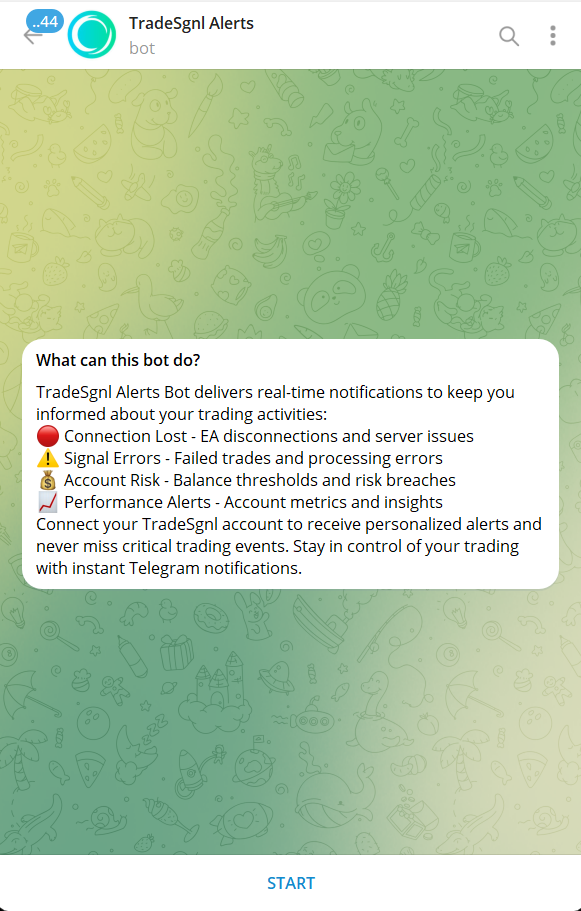
Start Bot Conversation. After scanning or clicking the link, you'll be taken to @TradeSgnl_Alerts_bot. Tap the START button to initiate the secure connection with your account.
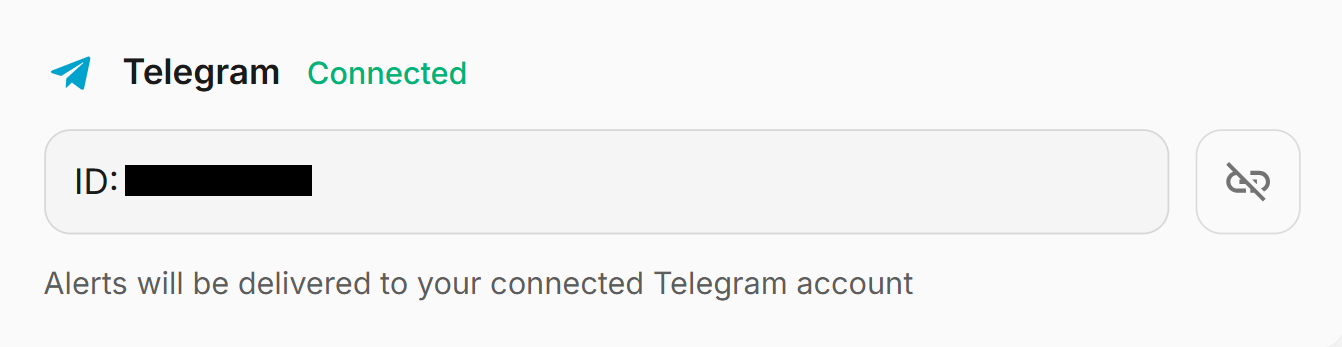
Connection Confirmed. You'll receive a confirmation message in Telegram and see the Connected status in your dashboard. You're now ready to receive instant alerts.
Connection token
Each connection uses a unique, secure token that expires after 10 minutes. If the token expires, simply generate a new one from the dashboard.
Using Telegram Alerts
Once connected, Telegram alerts work automatically based on your alert preferences configured in the Alerts Dashboard. No additional setup is required. Alerts will be delivered instantly as events occur.
Supported alert types:
- Signal Errors. Failed trade execution notifications with detailed error information.
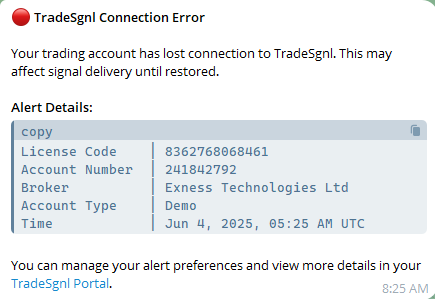
- Connection Errors. EA disconnection and connection issue notifications.
- Account Risk. Daily and maximum drawdown limits, loss amounts.
- News Events. Upcoming news, trading blocks, and signal queuing.
Message format example:
Connection Management
Managing your Telegram connection is simple and can be done entirely through the TradeSgnl dashboard. You have full control over when to connect, disconnect, and monitor the connection status.
Connection status monitoring:
- Connected. Shows your Telegram ID and Connected badge when active.
- Disconnected. Shows Not connected with a connect button when inactive.
- Connecting. Shows loading state during token generation and connection.
To disconnect your Telegram account:
- Click the disconnect icon in the Notification Settings.
- Confirm disconnection in the modal dialog.
- UI immediately updates to disconnected state.
- You can reconnect at any time using the same process.
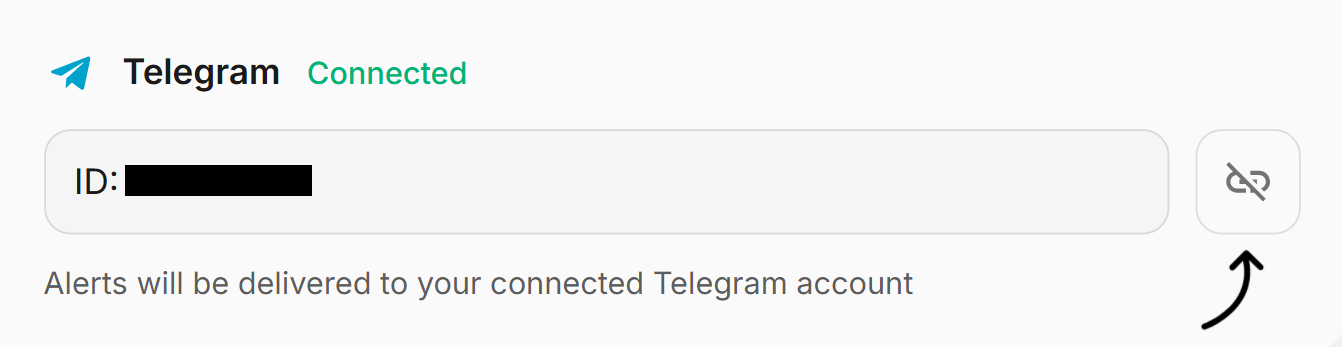
Disconnecting removes your Telegram ID from our system but doesn't affect your Telegram account or the bot chat. You can safely reconnect later if needed.
Troubleshooting
If you're experiencing issues with the Telegram integration, here are common problems and their solutions.
FAQ
Alerts
Configure and manage trading alerts with TradeSgnl. Set up custom notifications, alert filtering, and automated alert processing.
MCP server
Give Claude, ChatGPT, Cursor, Antigravity or any MCP-capable agent access to your TradeSgnl data, the Market Analyst and your signal webhook. One URL, sign in, allow.